

Datacenter aisle lighting is one of the most overlooked aspects of facility management, yet it directly impacts both safety and operational efficiency. Poor visibility in server rows leads to accidents, slows down maintenance work, and creates compliance headaches.
At PacLights, we’ve seen firsthand how the right lighting solution transforms how teams navigate and maintain their infrastructure. This guide covers what makes effective aisle lighting and how to implement it properly.
Why Aisle Lighting Directly Affects Safety and Compliance
The Real Hazards of Poor Visibility
Poor lighting in server rows creates immediate hazards that many facility managers underestimate. Technicians working in inadequately lit aisles face real risks: misreading cable labels leads to pulling the wrong connections, tripping over obstacles becomes more likely when visibility drops, and eye strain from dim conditions causes mistakes during troubleshooting. NFPA 101 requires a minimum of 1 foot-candle along emergency egress paths, and TIA-942 standards call for 500 lux in active maintenance areas-roughly equivalent to a well-lit office space. Many data centers operate well below these thresholds, especially in older facilities with outdated fluorescent systems. The compliance gap matters because regulators increasingly scrutinize safety records, and insurance carriers may deny claims if lighting fails to meet standards.
How Lighting Quality Accelerates Maintenance Work
Maintenance speed correlates directly with lighting quality. Technicians working in 500 lux environments identify cable connections and equipment status 40–50% faster than those in dimly lit spaces, which translates to shorter troubleshooting windows and reduced downtime costs. Cool white color temperatures between 4000K and 5000K improve technician alertness and reduce reading errors, while flicker-free LED drivers prevent eye strain and camera interference during monitoring. These improvements compound across your entire operation, making the difference between a quick fix and extended outages.
The Energy and Cost Advantage of LED Systems
Energy.gov data shows that LED lighting delivers up to 90% energy savings compared to incandescent systems. In a typical 24/7 server room, upgrading from a 500W fluorescent system to LEDs reduces annual consumption from roughly 4,380 kWh to 440 kWh-potentially saving over $500 per year at standard rates. The payback period for LED upgrades typically falls between 2–4 years, after which the savings accumulate indefinitely.
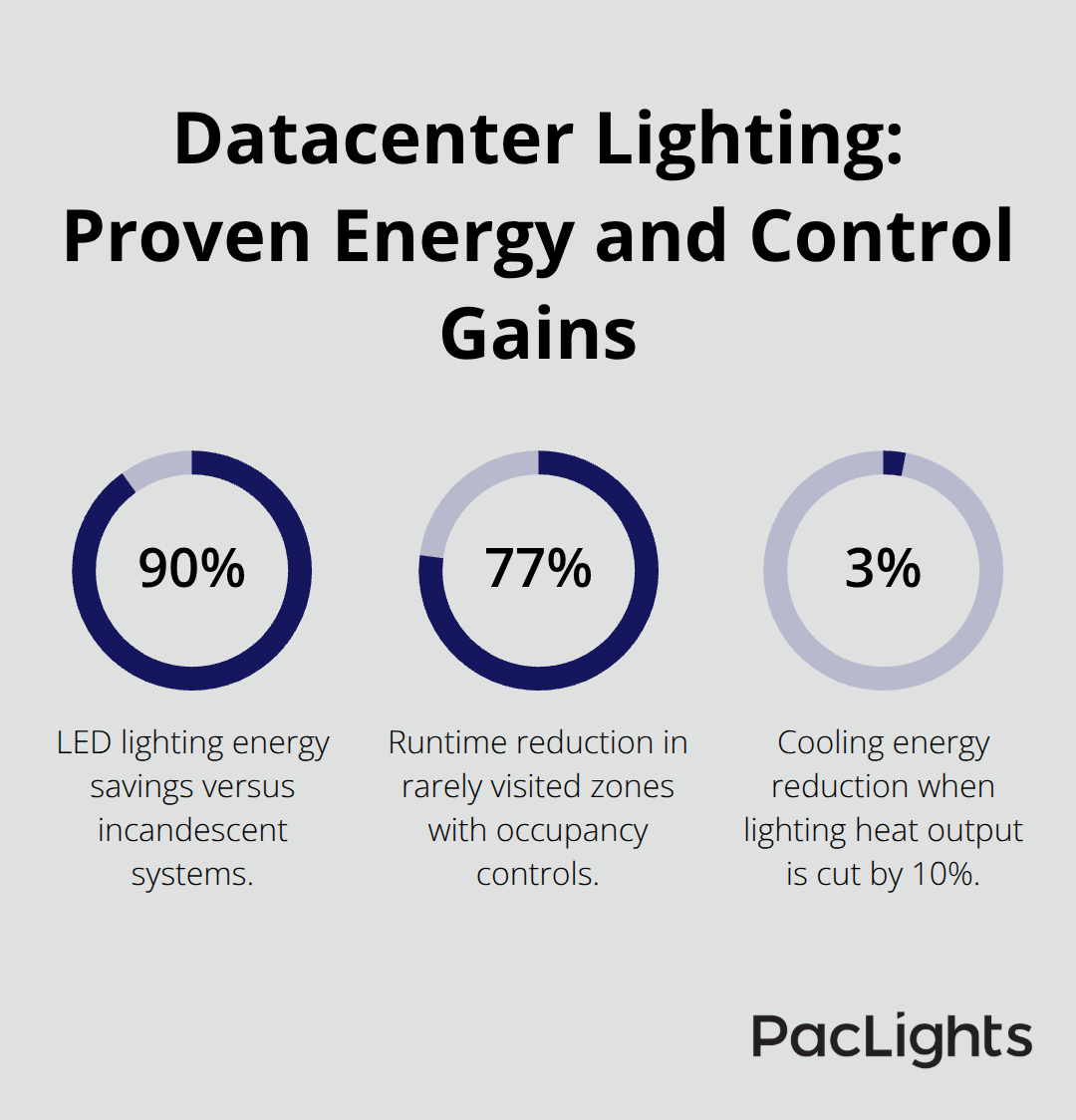
Reducing lighting heat output by even 10% lowers overall cooling energy use by 2–3%, creating a compounding efficiency gain across the entire facility.
Smart Controls Multiply Your Savings
Motion sensors amplify energy savings further-in rarely visited areas, occupancy controls drop runtime from 8,760 hours annually to roughly 2,000 hours, representing a 77% reduction in that zone. The real benefit emerges when lighting controls integrate with building management systems, enabling data-driven adjustments based on actual occupancy patterns rather than fixed schedules. Networked controls transform lighting from a fixed cost into a variable, efficiency-driven expense that adapts to your operational needs.
Taking the Next Step Forward
PacLights offers LED retrofit solutions and advanced lighting controls (including networked lighting controls) to optimize energy use in your facility. Our free lighting layout designs and ROI assessments help you understand exactly what upgrades will deliver for your specific environment. With the right lighting strategy in place, your team can now focus on the physical layout and fixture placement that makes these efficiency gains possible.
Key Features of Effective Datacenter Aisle Lighting
Brightness Levels That Match Your Maintenance Demands
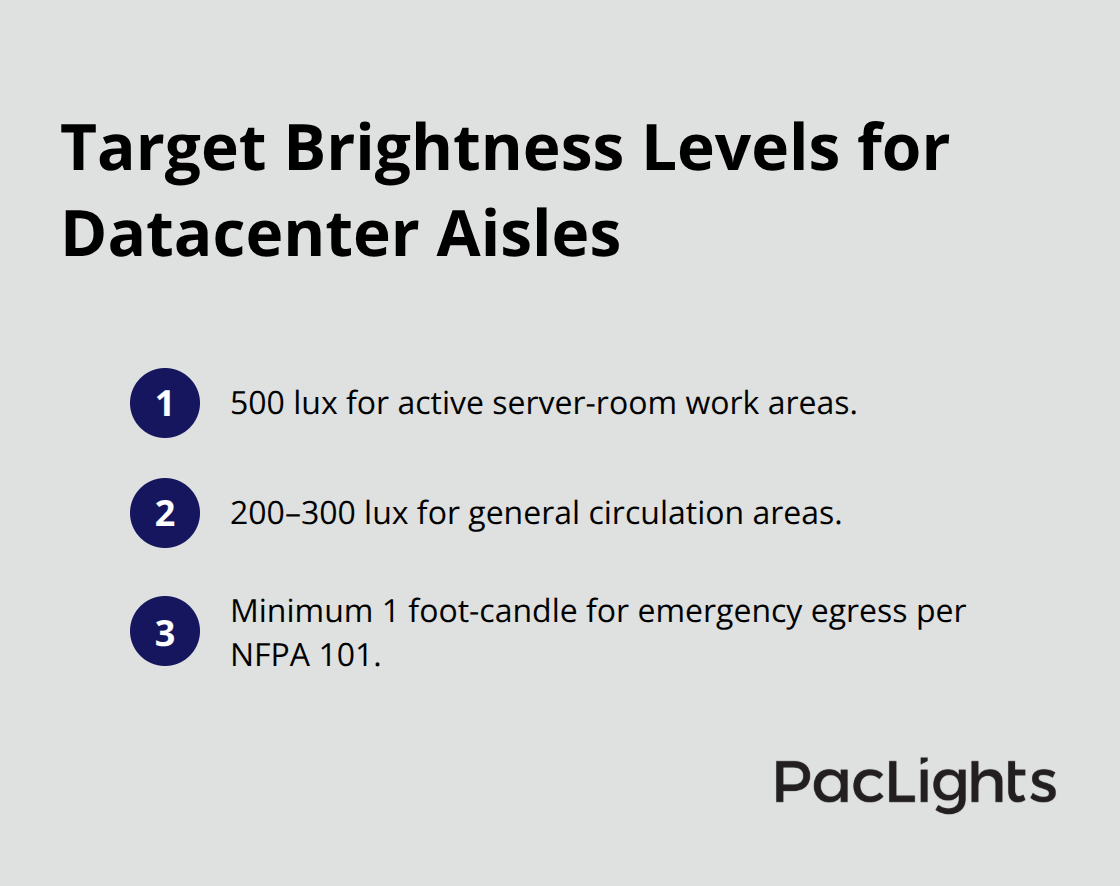
Aisle lighting performance hinges on two measurable factors that most facilities get wrong. Try 500 lux in active server-room work areas-that’s roughly equivalent to a well-lit office, not a dimly lit hallway. For comparison, general circulation areas need only 200–300 lux, while emergency egress paths require a minimum of 1 foot-candle under NFPA 101 standards.
The mistake most data centers make is treating all aisles the same. High-density server rows with frequent maintenance demand the full 500 lux directly overhead, positioned to eliminate shadows between racks. Typical fixtures spaced 8–10 feet apart along the centerline at 8–12 feet mounting height hit this target without waste.
Color Temperature and Flicker-Free Operation
Color temperature matters as much as brightness. Cool white LEDs at 4000K–5000K improve technician focus and reduce reading errors compared to warmer 3000K systems. Flicker-free LED drivers prevent eye strain and camera interference, which becomes critical when staff monitor equipment during troubleshooting. Many retrofits fail because facilities switch to LEDs but keep the wrong color temperature or install flickering drivers, losing the cognitive benefits that proper lighting delivers.
Motion Sensors and Occupancy-Based Controls
Motion sensors reduce lighting energy by 77% in rarely visited zones, cutting runtime from 8,760 annual hours to roughly 2,000 hours. However, sensors placed poorly-blocked by equipment or positioned too far from activity zones-fail silently, leaving technicians in darkness and defeating the purpose. Networked lighting controls go further than simple motion detection. These systems adjust brightness based on real occupancy patterns across your facility, not just presence detection.
Three-Level Lighting Protocols for Compliance and Savings
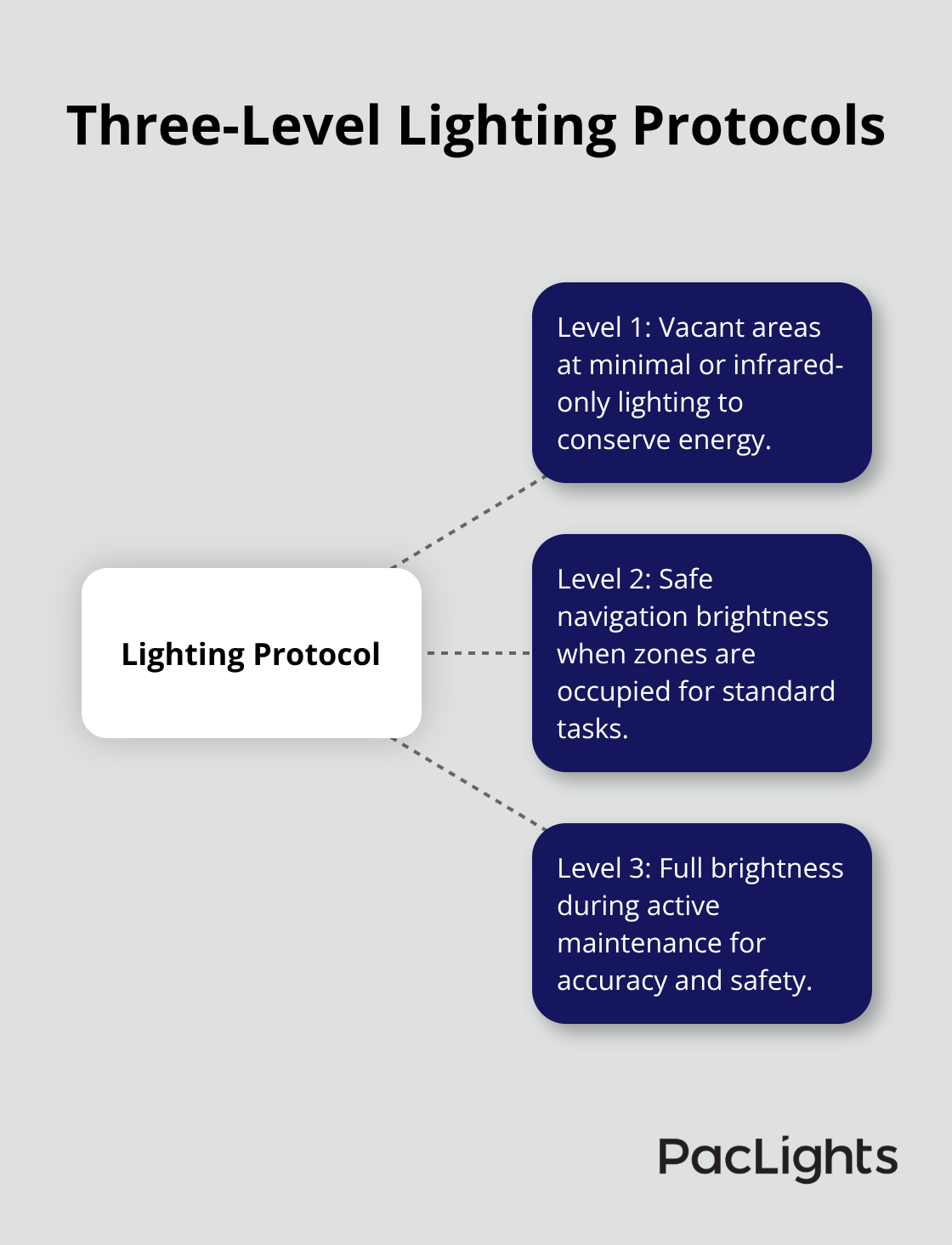
Three-level protocols work best: Level 1 for vacant areas with minimal or infrared-only lighting, Level 2 for safe navigation when occupied, and Level 3 at full brightness during active maintenance. This tiered approach keeps energy costs variable while maintaining compliance. Data-driven adjustments through building management system integration reveal which aisles see heavy use and which sit idle, enabling precise optimization. A typical datacenter retrofit reduces per-fixture energy consumption from 200W to 50W, with payback periods for motion-sensor upgrades typically running 2–4 years.
Using Lighting Data to Identify Operational Bottlenecks
Advanced controls help identify maintenance bottlenecks too-if technicians linger in certain aisles, lighting data signals that you need better cable organization or equipment labeling in those zones, improving both efficiency and safety across your operation. With the right brightness, color temperature, and control strategy in place, your team can now focus on the physical layout and fixture placement that makes these efficiency gains possible.
Best Practices for Installing and Maintaining Datacenter Aisle Lighting
Position Fixtures to Match Your Workflow
Fixture placement determines whether your lighting investment delivers results or wastes energy. Map your actual workflow first-technicians don’t move randomly through aisles, they follow specific paths to high-traffic equipment and cable termination points. Position fixtures directly above these zones first, then fill in remaining areas. For a typical six-foot-wide aisle, space fixtures approximately 8–10 feet apart along the centerline at 8–12 feet mounting height to hit your 500 lux target without dead zones between racks. Shadows between rows are where mistakes happen-technicians misread labels or trip on obstacles hidden in dim pockets. Narrow pendant or linear fixtures work better than traditional drop-ceiling panels in tight server rows because they concentrate light where you need it rather than spreading it across unused space. Use ceiling tracks or suspended systems instead of permanent installations; as your rack density changes, you need flexibility to reposition fixtures without major renovations. One critical mistake: facilities install fixtures aligned to their existing drop-ceiling grid rather than to their aisles, creating misalignment that leaves cold aisles dark and hot aisles over-lit. Proper alignment between your lighting design and aisle layout prevents costly installation errors and ensures technicians can work efficiently.
Design for Redundancy and Emergency Response
Plan for at least two independent circuits so one can fail during maintenance without leaving the space completely dark. This prevents technicians from working in darkness and meets NFPA 101 emergency lighting requirements. Include battery-backed LED fixtures in your design; during power loss, these maintain enough brightness for safe egress and reduce panic during outages.
Establish Maintenance Schedules That Prevent Silent Failures
LEDs last approximately 30 times longer than incandescent bulbs and up to 5 times longer than CFLs, but this doesn’t mean you ignore them. Schedule quarterly inspections to check for dust accumulation on lenses-dust reduces brightness by 10–20% without obvious signs until someone notices technicians squinting. Replace diffusers if they yellow or cloud, which happens in server rooms where heat and air movement stress materials. Test motion sensors monthly by walking through coverage zones during low-occupancy hours; sensors blocked by equipment or positioned incorrectly fail silently, leaving aisles dark when needed most. Integrate your lighting maintenance into your overall facilities calendar rather than treating it separately; this prevents the common pattern where lighting gets deferred because it’s not tied to other critical infrastructure work. Monitor your energy consumption data monthly through your building management system; unexpected increases signal sensor failures, ballast degradation, or control drift that requires attention.
Connect Lighting to Your Building Management System
Building management system integration transforms lighting from a static installation into an adaptive tool that responds to real operational patterns. Connect your motion sensors and networked lighting controls to your BMS so brightness adjustments happen automatically based on occupancy across your entire facility. This integration reveals patterns you can’t see manually-if technicians consistently linger in certain aisles for 15 minutes longer than others, your lighting data signals that you need better cable organization or equipment labeling in those zones. Set your BMS to track energy consumption by zone, not just total facility usage; this granular data shows which aisles consume excess energy due to control failures or over-specification. Program your three-level lighting protocol directly into the BMS: Level 1 for unoccupied zones at minimal brightness, Level 2 for occupied areas at standard 500 lux, Level 3 for active maintenance at full brightness. This tiered approach keeps energy variable while maintaining compliance. Configure your system to log when technicians override automatic settings-frequent overrides in specific areas indicate that your brightness targets are wrong for that zone or that your sensor placement needs adjustment. Test your BMS integration before full deployment by running parallel manual and automated controls for two weeks; this reveals configuration errors and sensor placement problems before they affect your operation.
Final Thoughts
Effective datacenter aisle lighting delivers measurable returns across safety, compliance, and operational efficiency. Technicians working in properly lit environments complete maintenance tasks 40–50% faster, reducing downtime costs and preventing the cable-pulling mistakes that cascade into outages. Meeting NFPA 101 and TIA-942 standards protects your facility from regulatory scrutiny and insurance gaps that emerge when accidents occur in poorly lit spaces.
The financial case proves equally compelling. LED systems cut lighting energy consumption by up to 90% compared to older fluorescent installations, translating to over $500 annual savings in typical server rooms. Motion sensors amplify these gains by reducing runtime in rarely visited zones by 77%, while three-level lighting protocols keep energy costs variable rather than fixed.
Modern datacenter aisle lighting solutions adapt to your actual workflow rather than forcing your team to work within static installations. We at PacLights provide LED retrofit solutions and advanced lighting controls designed specifically for datacenter environments, and our free lighting layout designs and ROI assessments help you understand exactly what upgrades will deliver for your facility. Contact PacLights today to evaluate your current lighting performance and identify the efficiency gains waiting in your server rows.
Disclaimer: PacLights is not responsible for any actions taken based on the suggestions and information provided in this article, and readers should consult local building and electrical codes for proper guidance.