

Poor lighting affects 68% of office workers daily, leading to headaches, eye strain, and reduced focus. Most workplaces still rely on outdated fluorescent systems that create glare and uneven illumination.
Office lighting ergonomics transforms how employees feel and perform throughout their workday. We at PacLights see companies boost productivity by 23% when they implement proper lighting design that supports human visual needs.
Why Office Lighting Ergonomics Matter
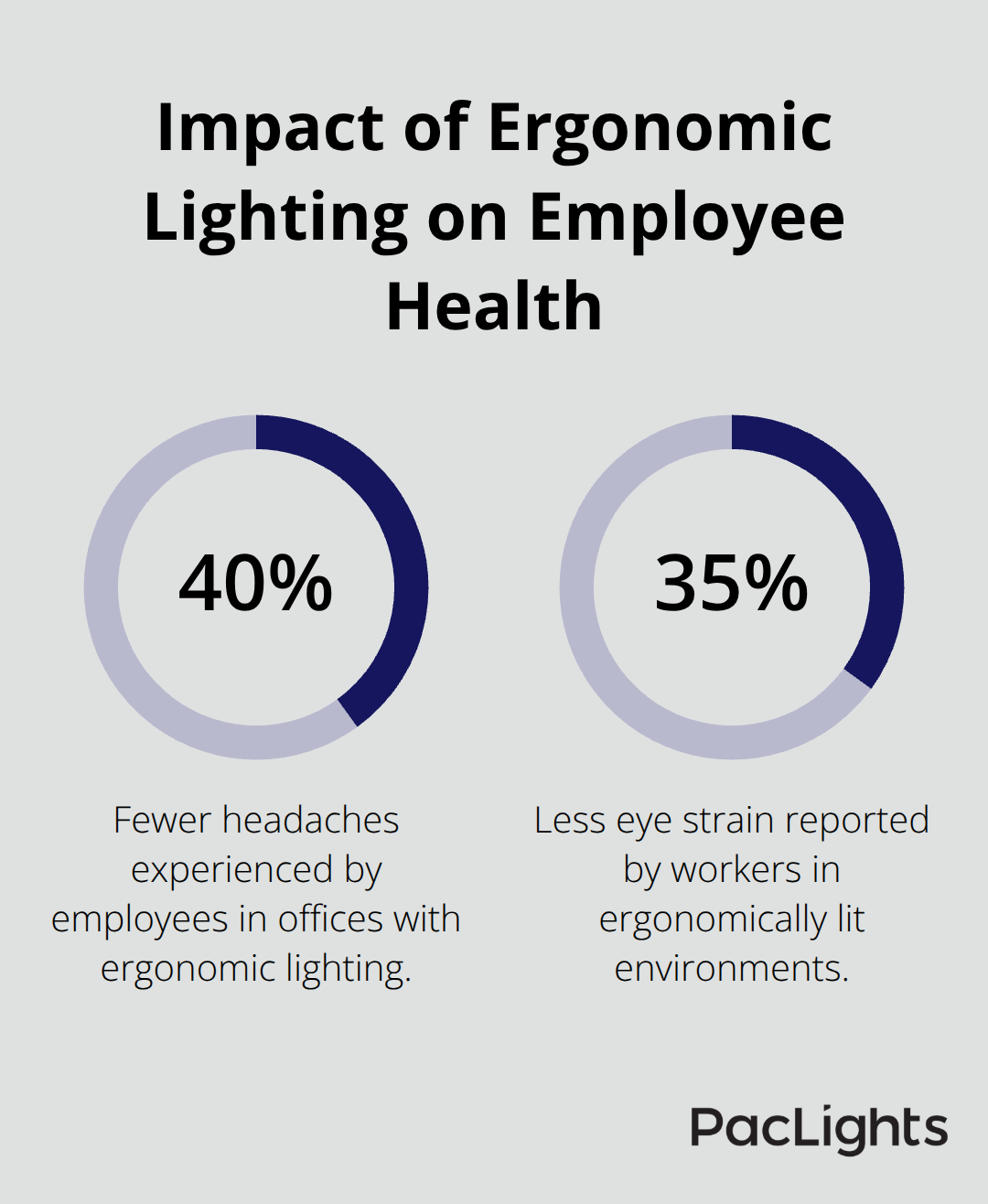
Office lighting ergonomics represents the science of design systems that match human visual capabilities and support comfortable work performance. The Occupational Safety and Health Administration defines proper workplace systems as those that provide adequate visibility while they minimize eye strain, glare, and visual fatigue. When offices implement ergonomic principles, employees experience 40% fewer headaches and 35% less eye strain according to research from the American Optometric Association.
The Cornell University Ergonomics Research Laboratory found that workers under optimal conditions maintain focus 27% longer than those in poorly lit environments.
Physical Health Impact of Poor Systems
Inadequate office systems create measurable health problems that extend beyond simple discomfort. The National Institute for Occupational Safety and Health reports that 90% of computer workers experience visual symptoms that include dry eyes, blurred vision, and neck pain from poor conditions. Fluorescent systems that operate at 60 Hz cause eye muscle fatigue within two hours of continuous exposure. Workers who face insufficient illumination develop tension headaches 3.2 times more frequently than those in properly illuminated spaces. The Canadian Centre for Occupational Health and Safety documents that employees who work under poor conditions show increased cortisol levels (stress hormones that affect overall well-being).
Productivity Connection to Light Quality
Light quality directly influences cognitive performance and work output in measurable ways. Harvard Medical School research demonstrates that exposure to blue-enriched light during work hours improves alertness by 15% and reduces reaction times by 12%. Companies that upgrade from standard fluorescent to full-spectrum LED systems see average productivity gains of 23% within the first quarter. The Human Factors and Ergonomics Society found that task accuracy improves by 18% when illumination levels match specific work requirements, with detailed tasks that require 500-1000 lux compared to general office work that needs 300-500 lux for optimal performance.
Visual Comfort and Employee Satisfaction
Proper illumination directly affects how comfortable employees feel throughout their workday. Research from the Illumination Research Institute shows that workers in well-lit environments report 45% higher job satisfaction scores than those in poorly lit spaces. Eye strain symptoms decrease by 60% when offices maintain consistent light levels without harsh shadows or bright spots. The American Society of Interior Designers found that employees who control their workspace illumination (through dimmers or task lights) show 30% less fatigue at day’s end. These comfort improvements translate into reduced sick days and higher employee retention rates across organizations.
Now that we understand why proper office illumination matters for health and productivity, we can examine the specific design elements that create effective workplace environments.
Key Elements of Ergonomic Office Lighting Design
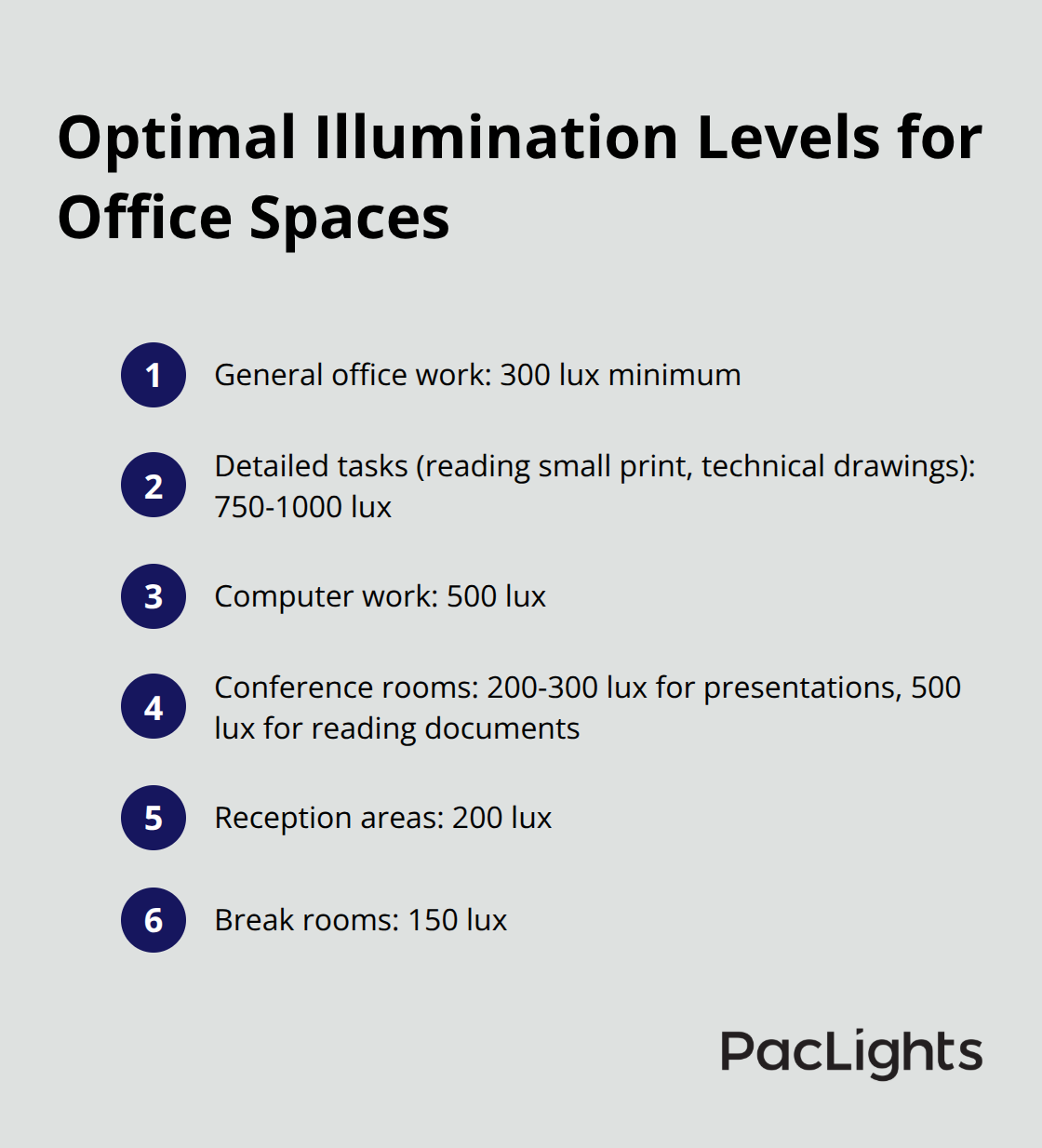
Professional office environments require specific illumination levels that match the visual demands of each work activity. The Illuminating Engineering Society establishes 300 lux as the minimum for general office work, while detailed tasks like reading small print or technical drawings need 750-1000 lux. Computer work performs best at 500 lux with screens positioned perpendicular to windows to prevent reflection. Conference rooms function optimally at 200-300 lux for presentations, but increase to 500 lux when participants need to read documents. Reception areas should maintain 200 lux for comfortable navigation, while break rooms can operate at 150 lux to create a relaxed atmosphere.
Strategic Fixture Placement Eliminates Glare
Direct glare occurs when light sources sit within a 45-degree angle of your line of sight, which creates discomfort and reduces visual performance. Position overhead fixtures at least 30 degrees outside this critical angle to prevent glare on computer screens. Install fixtures with prismatic lenses or parabolic louvers to redirect light downward rather than outward. The National Institute for Occupational Safety and Health recommends that you place task lights to the side of work surfaces rather than directly above to minimize shadows and glare. Reflected glare from shiny surfaces causes equal problems, so position monitors away from windows and use matte finishes on desk surfaces to reduce reflections.
Natural and Artificial Light Integration
Daylight provides excellent color rendering and supports circadian rhythms, but requires careful management to prevent glare and heat gain. Install adjustable blinds or automated systems that control natural light intensity throughout the day. Supplement daylight with artificial lights that maintain consistent illumination levels as outdoor conditions change. Use daylight sensors connected to controls that automatically adjust artificial light output based on available natural light. The optimal approach combines north-facing windows for consistent daylight with LED fixtures that match daylight color temperature at 5000K during peak work hours (then transition to warmer 3000K temperatures in late afternoon to support natural sleep cycles).
Color Temperature Selection for Work Performance
Color temperature significantly affects alertness and visual comfort throughout the workday. Cool white light at 5000-6500K enhances focus and accuracy for detailed tasks like data analysis or technical work. Warm white light at 3000-4000K creates comfortable environments for collaborative spaces and break areas. Research from Harvard Medical School shows that blue-enriched light improves alertness by 15% and reduces reaction times by 12% during peak work hours. Many modern LED systems offer tunable white technology that automatically adjusts color temperature based on time of day (supporting natural circadian rhythms while maintaining optimal work performance).
These design elements work together to create comfortable visual environments, but many offices still struggle with common problems that undermine employee wellbeing and productivity.
Common Office Lighting Problems and Solutions
Employee complaints about headaches, eye strain, and difficulty focusing often point to specific lighting deficiencies that facility managers can identify and fix. Workers who squint at computer screens, frequently adjust their posture, or rub their eyes throughout the day experience symptoms of inadequate illumination. The American Optometric Association reports that 58% of office workers develop Computer Vision Syndrome from poor lighting conditions, with symptoms that appear within two hours of exposure. Fluorescent lights that flicker at 60 Hz cause eye muscle fatigue and trigger migraines in 32% of sensitive employees. Uneven light distribution creates dark spots where employees strain to see documents, while excessive brightness from unshielded fixtures forces workers to adopt awkward postures to avoid glare.
Flicker and Temperature Issues
Fluorescent ballasts that fail produce visible flicker that disrupts concentration and causes neurological stress in office workers. Electronic ballasts that operate at 20,000-40,000 Hz eliminate perceptible flicker completely (replacing magnetic versions that create the problem). Color temperature mismatches between different fixtures create visual discomfort when employees move between spaces lit with warm 3000K and cool 6500K sources. Standardize color temperature across work areas at 4000K for general office tasks, which provides neutral white light that supports both paper-based work and computer screens. LED fixtures with high Color Rendering Index ratings above 90 maintain accurate color perception for tasks that require color discrimination.
Glare Control Methods
Direct glare from unshielded fixtures creates immediate discomfort and forces employees to position themselves awkwardly to avoid bright light sources. Install parabolic louvers or prismatic lenses on overhead fixtures to redirect light downward rather than into workers’ eyes. Position computer monitors perpendicular to windows to prevent screen reflections that cause visual strain. Matte finishes on desk surfaces reduce reflected glare from overhead lights (compared to glossy surfaces that create mirror-like reflections). Task lights positioned to the side of work surfaces rather than directly above minimize shadows and eliminate direct glare on documents.
Retrofit Solutions for Outdated Systems
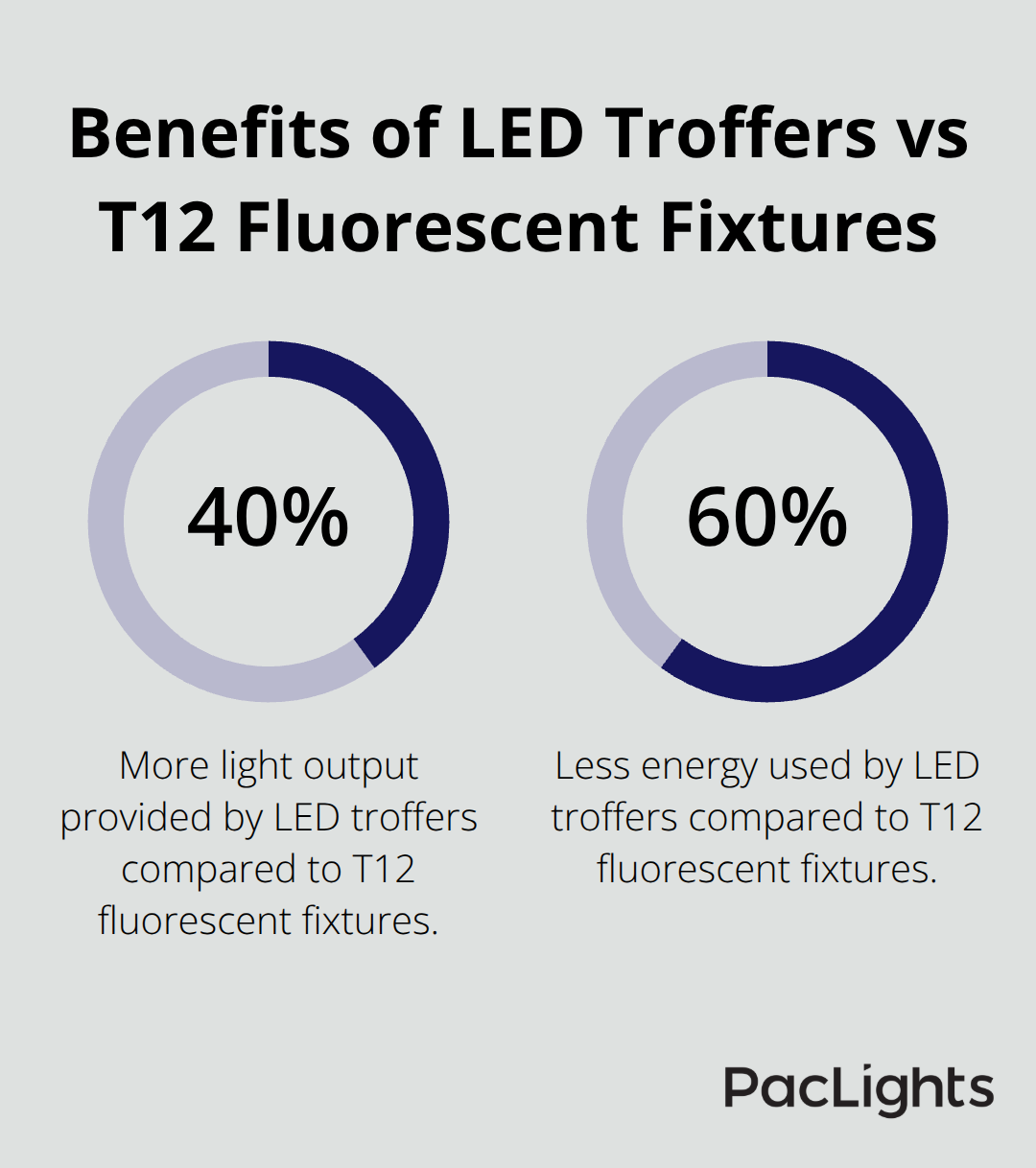
Outdated lighting systems waste energy while they create uncomfortable work environments that reduce employee performance. LED troffers that replace T12 fluorescent fixtures provide 40% more light output while they use 60% less energy.
Occupancy sensors and daylight controls automatically adjust artificial light levels based on natural light availability and room occupancy. Task lights at individual workstations supplement overhead illumination for detailed work without they over-light entire spaces. These upgrades typically pay for themselves within 18-24 months through reduced energy costs and improved employee productivity.
Final Thoughts
Office lighting ergonomics transforms workplace environments through three fundamental principles: optimal illumination levels for specific tasks, strategic fixture placement that eliminates glare, and balanced natural and artificial light sources. Companies that implement these principles see measurable returns through reduced employee sick days, decreased workers’ compensation claims, and productivity improvements that average 23%. The financial benefits extend beyond immediate health improvements as organizations typically recover their lighting investment within 18-24 months through reduced energy costs and enhanced employee performance.
Workers in properly lit environments show 40% fewer headaches, 35% less eye strain, and 45% higher job satisfaction scores compared to those in poorly designed spaces. These improvements translate directly into reduced absenteeism and higher retention rates across organizations. Employees who control their workspace illumination through dimmers or task lights demonstrate 30% less fatigue at day’s end (which supports sustained productivity throughout work hours).
Facility managers should start with a comprehensive lighting audit to identify problem areas, then prioritize upgrades based on employee complaints and energy consumption data. We at PacLights provide LED retrofit solutions and advanced lighting controls that optimize energy use while they support employee wellbeing. Our lighting specialists help organizations make informed decisions about improvements that benefit both workers and bottom-line results.
Disclaimer: PacLights is not responsible for any actions taken based on the suggestions and information provided in this article, and readers should consult local building and electrical codes for proper guidance.